
Amazon strategy · 10 minute read
How to get reviews on Amazon without breaking the rules
There are four legitimate ways to get more Amazon reviews, and dozens of ways to lose your account trying. Here is what Amazon and UK law allow, what they ban, and why reviews show up in your advertising costs as well as your star rating.

By Robert Prime
CEO and co-founder

Reviewed by Atouka Tsochataridis
Growth Director
- Published
- Last reviewed
- Sources
- 12 primary and labelled
Cover designed for Mr. Prime.
The short answer
Key takeaways
- Amazon already asks buyers for reviews on your behalf. Request a Review adds one standard request per order, 5 to 30 days after delivery, for both a product review and seller feedback.
- A packaging insert may ask for an honest review. It may not ask for a positive one, offer anything, show star imagery, link off Amazon or steer unhappy buyers to you first.
- Free products, discounts, refunds or gift cards in return for a review break Amazon’s policy, and since 6 April 2025 commissioning fake or concealed incentivised reviews has been a banned practice under the DMCC Act, with CMA fines of up to 10% of global turnover.
- Reviews pay twice: they lift conversion, and conversion lowers ACoS. In our illustration, conversion rising from 6% to 10% turns £338 lost per £1,000 of ad spend into £104 made.
- Run it as a weekly routine: request, read, fix, reply through Amazon, and report reviews that break the guidelines.
By the numbers
- 5–30 days
- Window after delivery when the Request a Review button can be used, once per order
- 6 April 2025
- Fake and concealed incentivised reviews became a banned practice under UK law
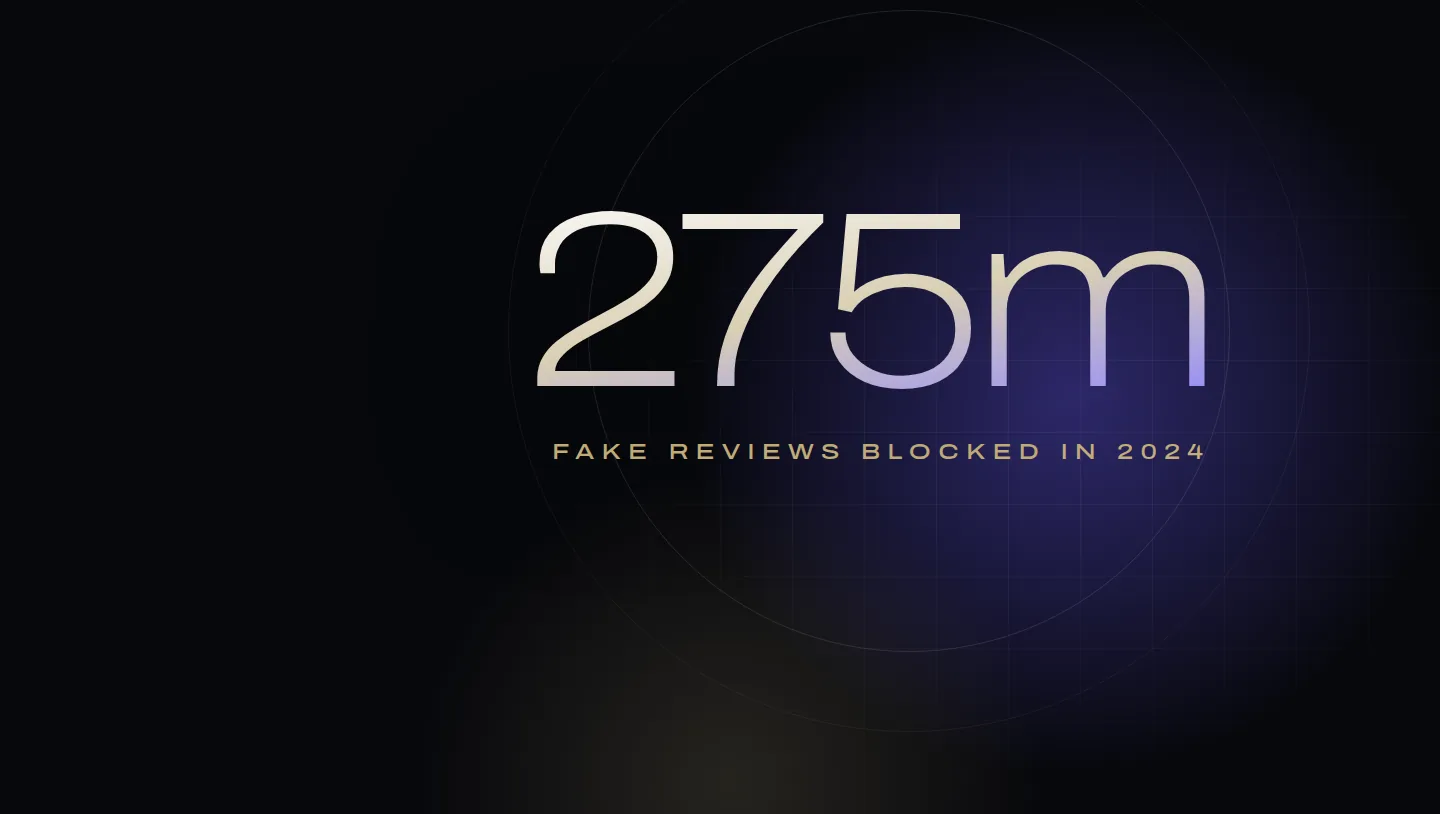
- 275m
- Suspected fake reviews Amazon says it blocked in 2024
- +£442
- Change in profit per £1,000 of ad spend when conversion rises from 6% to 10% (illustration)
From Robert Prime and the Mr. Prime team, who manage review programmes, listings and advertising for founder-led UK brands, and who audit inserts and buyer messages for compliance.
Every Amazon seller wants more reviews, and the internet is full of ways to get them. Most of those ways break Amazon’s rules, and since April 2025 many of them break UK law too. The legitimate methods are fewer and slower, but they are the only ones that build something you can keep.
This guide covers the four methods Amazon allows, the practices it and the Competition and Markets Authority ban, why reviews matter to your advertising costs as much as to your star rating, and a weekly routine to run. It is part of our guide to selling on Amazon in the UK. For reviews as part of a new product’s launch, see our Amazon product launch guide.
Why reviews matter to profit, not just to rating
Reviews persuade shoppers. Northwestern University’s Spiegel Research Center found that the purchase likelihood for a product with five reviews is 270% greater than for one with none, with the benefit diminishing quickly after the first five, and that purchase likelihood typically peaks at average ratings between 4.0 and 4.7, not at a perfect 5.012. That research used US retailers’ data rather than Amazon’s, but the direction matches what we see in Business Reports: unit session percentage rises as a new product collects its first reviews.
The less obvious effect is on advertising. ACoS can be written as cost per click divided by conversion rate times order value, so conversion sits directly in it. Our break-even ACoS guide explains the formula and works out a break-even ACoS of 26.5% for a £24.99 product.
Why reviews lower ACoS
ACoS = cost per click ÷ (conversion rate × average order value)
Illustration: a £0.50 click on a product Amazon Ads reports at £20.83, the ex-VAT price of £24.99.
At 6% conversion that click gives an ACoS of 40%. At 8% it is 30%. At 10% it is 24%, under break-even for the first time. Same bid, same keyword, same budget. Here is what each £1,000 of ad spend leaves behind after the product’s 26.5% margin:
A four-point rise in conversion turns a £338 loss into a £104 profit on the same spend. Reviews are not the only thing that moves conversion, but on a new product they are usually the biggest. That is why we treat review volume and rating as an advertising input, not a vanity metric.
The four ways Amazon allows
1. Amazon’s own requests and the Request a Review button
Amazon asks buyers for reviews automatically, which it says it does on your behalf at no cost, so you don’t have to request them at all1. If you want to add a request for a particular order, Amazon recommends the Request a review button on the Order Details page rather than writing your own message1:
- It works once per order, between 5 and 30 days after delivery1.
- It asks for a product review and seller feedback in one email, in standard wording, translated into the buyer’s preferred language1.
- Because Amazon already asks, it treats additional requests as unsolicited, and their delivery is subject to the buyer’s opt-out preferences1.
You can automate it. Amazon’s communication guidelines allow proactive messages, including requests for product reviews and seller feedback, through its own templates, through third-party applications in its Appstore and through its API. They must be sent within 30 days of order completion and include the 17-digit order ID2. If you write your own Buyer-Seller message instead, Amazon says to use that channel only where you haven’t used Request a Review for the order, and only once32.
2. Amazon Vine
Vine is the only route Amazon offers for getting free product to reviewers. Amazon chooses the reviewers, called Vine Voices, ships them a unit through FBA and badges their reviews. You need a Brand Registry role, an FBA offer and fewer than 30 published reviews, and each ASIN can be enrolled once6. In the UK the fee is £0, £60 or £140 per parent ASIN depending on whether you enrol 1–2, 3–10 or 11–30 units7. Our Amazon Vine UK guide covers eligibility, pre-launch Vine and the full cost per review.
3. Product inserts, within policy
Amazon allows you to “include a card in your product packaging to solicit reviews from customers in a neutral manner"3. The line between a compliant card and a violation is narrow, so here are Amazon’s own examples3:
| Compliant | Not compliant |
|---|---|
| “Thank you for your purchase! Feel free to share your honest feedback by leaving a review.” | “If you are satisfied, leave us a 5-star product review”, with a gift card offer |
| “We are a small family business so that your product review would mean the world to us.” | “We would be very pleased if you leave us a positive review”, with five yellow stars |
| “If you are happy, please leave a positive review! If there is any situation that makes you dissatisfied… contact our customer support team”, followed by an email address | |
| “Scan here to qualify for your warranty”, with a QR code to a site that requires a review |
Amazon also bans personal contact details in packaging and inserts, and any use of external websites or social channels to solicit reviews or divert customer service, with suspension or termination as the penalty3. The common mistake we find in audits is the “if you’re happy… if not, contact us” card, which reads as good service and is treated as diverting negative reviews5.
4. A product and service worth reviewing
The only method that scales without a fee. Every review request goes to people who bought what your listing promised, so the cheapest way to better reviews is closing the gap between the two: images that show the real size, bullets that state the limits as well as the strengths, and stock that arrives on time. Our listing optimisation guide covers the page.
When a review is negative, answer the problem, not the review. Amazon allows you to offer a refund or replacement through Buyer-Seller Messaging, but not to ask the buyer to change or remove the review while you do it3. In the accounts we manage, the most valuable use of reviews is as product research: the same complaint three times is a brief for your supplier.
What is prohibited: Amazon’s policy
Amazon describes its approach as zero tolerance. Its review policy lists violations including45:
- reviewing your own or a competitor’s product, or having family or employees do so;
- offering money, discounts, free products, refunds or any other compensation in exchange for a review, including through review clubs and social media groups;
- offering a refund or reimbursement after a buyer writes a review, or to have one changed or removed;
- asking only buyers with a good experience to review, and diverting unhappy buyers to another feedback route;
- creating variation relationships between unrelated products to pool their ratings;
- putting a request for a positive review, or an incentive, in the packaging;
- manipulating the “Helpful” or “Report abuse” features.
The penalties include withdrawal of selling privileges, removal of all the product’s reviews and a block on future ones, permanent delisting, legal action and public disclosure of the seller’s name4. Two points are easy to miss. The rules cover your employees, business partners and any agency you hire, “even if it happened without your knowledge or consent"4. And Amazon is actively looking: it says it blocked more than 275 million suspected fake reviews in 2024 and took enforcement action against thousands of bad actors trying to solicit them11.
What is prohibited: UK law since April 2025
In April 2025 several review practices became banned practices under the Digital Markets, Competition and Consumers Act 2024, which means they are automatically treated as unfair and illegal9. The CMA’s guidance, published on 4 April 2025, defines the key terms8:
- A fake review is one that “purports to be, but is not, based on a person’s genuine experience.”
- A concealed incentivised review is one where the reviewer was commissioned and that fact is not made apparent. Commissioning “is not limited to making monetary payments”: money, discounts, vouchers and “products given free of charge” all count.
- Both submitting and commissioning banned reviews are prohibited, and so is publishing review information in a misleading way.
The guidance is also clear about what is allowed. Encouraging reviews “without predetermining the contents or sentiment expressed in the review, for example by merely emailing customers generally to ask if they wish to provide a review, is not prohibited"8. Where an incentivised review is permitted, it must be “clearly identifiable as incentivised” and still reflect the reviewer’s genuine experience8. And “encouraging just those who are satisfied to leave reviews” is listed as a form of cherry-picking that can break the law8.
The CMA can now decide for itself whether consumer law has been broken and fine a business up to 10% of global turnover9. It has already secured undertakings from Amazon, signed in May 2025 and published on 6 June 2025, to strengthen its systems against fake reviews and “catalogue abuse”, the practice of hijacking a strong product’s reviews by attaching them to a different product, with sanctions for the businesses involved10. In March 2026 it opened five more investigations into fake and misleading reviews9. Amazon’s policy and UK law now point the same way, and the cost of getting it wrong has gone up on both sides.
A weekly review routine
Getting reviews on Amazon, every week
- Request on every eligible orderUse Request a Review, or an Appstore tool that sends it through Amazon’s API, once per order between 5 and 30 days after delivery. Don’t add a second request on the same order.
- Check new products for VineEnrol any new branded FBA product with fewer than 30 reviews, ideally before launch so reviews show on day one.
- Audit inserts and messagesRead every card, leaflet and message template against Amazon’s compliant examples: neutral wording, no stars, no offers, no external links, no “if you’re unhappy, contact us first”.
- Read the week’s reviewsSort by most recent, tag each complaint by cause, and send repeat causes to product, packaging or listing owners.
- Put problems right through AmazonReply through Buyer-Seller Messaging with a fix, refund or replacement. Never ask for the review to be changed.
- Report what breaks the rulesUse the Report link under any review that breaks Amazon’s guidelines, such as one about delivery rather than the product.
- Watch conversion and ACoSTrack unit session percentage and ACoS per product alongside the rating and review count, and move ad budget towards products whose conversion has improved.
How many reviews is enough?
There is no number Amazon publishes. The Spiegel research suggests the first handful of reviews does most of the work12, and in our experience the practical target is relative: enough reviews, and a high enough rating, that your product doesn’t look like the risky choice next to the products it appears beside in search. Check the top results for your main search terms and set your target from them.
After that, quality beats quantity. A product with fewer reviews and a rating rising because you fixed the problems buyers named will usually out-convert one with more reviews and a sliding rating. Judge the effort the same way as everything else: by what happens to conversion, ACoS and profit after advertising.
Frequently asked questions
How do I get reviews on Amazon UK?
Is the Request a Review button worth using?
Can I use software to send review requests automatically?
Can I put a review request card in my Amazon packaging?
Can I give free products in exchange for Amazon reviews?
Can I ask a customer to change a negative review?
Sources
- Request a review from a customer. Amazon Seller Central UK. Checked 1 October 2026.
- Communication guidelines. Amazon Seller Central UK. Checked 1 October 2026.
- Answers to questions about reviews and related topics. Amazon Seller Central UK. Checked 1 October 2026.
- Customer product reviews policies. Amazon Seller Central UK. Checked 1 October 2026.
- Customer product reviews. Amazon Seller Central UK. Checked 1 October 2026.
- Vine frequently asked questions. Amazon Seller Central UK. Checked 1 October 2026.
- Vine enrolment fee for sellers. Amazon Seller Central UK. Checked 1 October 2026.
- Fake reviews guidance (CMA208). Competition and Markets Authority, GOV.UK, 4 April 2025. Checked 1 October 2026.
- Fake and misleading reviews: 5 businesses under CMA investigation. Competition and Markets Authority, GOV.UK, 27 March 2026. Checked 1 October 2026.
- Online reviews (case page, including Amazon's undertakings). Competition and Markets Authority, GOV.UK, 6 June 2025. Checked 1 October 2026.
- Amazon and the Coalition for Trusted Reviews: driving global action against fake reviews. Amazon (Trustworthy Shopping), 7 November 2025. Checked 1 October 2026.
- How online reviews influence sales. Medill Spiegel Research Center, Northwestern University. Checked 1 October 2026.
How this guide was made
Written by Robert Prime and reviewed by Atouka Tsochataridis, who run launches, listings and advertising for founder-led brands at Mr. Prime. We used AI tools to help research and draft it; Robert edited it and takes responsibility for it. Every rule and figure was checked against the Seller Central UK, Amazon or GOV.UK page listed above on 1 October 2026. This guide summarises Amazon’s policies and published CMA guidance; it is not legal advice. The advertising figures are an illustration.
Every figure above links to the primary source it came from, and we recheck them when Amazon changes its fees or definitions. Read our editorial standards. Spotted something wrong? Tell us through our contact page and we will correct it and note the change here.
About the author
Robert Prime
Robert has spent more than two decades building, growing and selling online businesses, including an Amazon brand he built and sold for seven figures.
His other exits include Telematics.com, sold to LexisNexis, and Remortgage.com. He co-owned UpDownDesk.com.au, growing it on Shopify alone from £12k to £350k a month before he exited, one of more than six Shopify businesses he has built and sold.
He sets and reviews the strategy for every Mr. Prime client, with the view of an operator who has sat on your side of the table.
Reviewed by
Atouka Tsochataridis
A former officer who overdelivers every time. Runs growth across the client book and is on WhatsApp with clients at all hours.
Your numbers, not ours
See your own break-even, TACoS and profit after ads.
The Profit X-Ray works it out from four monthly figures, or from your Business Report, in your browser.