
Fees & profit · 13 minute read
Amazon returns: the cheapest profit you're not chasing
Most brands treat returns as a cost of selling online. On Amazon they are a cost you can measure, product by product, and much of it comes from listings that let shoppers pick the wrong thing. Here is where to find the reasons, the sum for what each return costs, and the order we fix them in.

By Robert Prime, CEO and co-founder
Reviewed by Stephen Harrison, Account Director
- Published
- Last reviewed
- Sources
- 10 primary and labelled
Cover designed for Mr. Prime.
The short answer
Key takeaways
- A return loses the profit on the sale plus the fees and ad cost you already spent. In our example that is £11.12 if the item can be resold and £17.87 if it can’t.
- Amazon UK charges a returns processing fee on FBA returns above a category threshold, such as 7.26% for Everything else, measured over the month of shipment and the two months after.
- Read the reasons in four places: the FBA Returns page, the FBA customer returns report (reason codes and comments), Voice of the Customer (NCX return rate) and Returns and Recovery Insights.
- Most avoidable returns start on the listing: the shopper chose the wrong option, or the page said two different things. Make every fact agree before you touch the product.
- In our example, cutting returns from 12% to 8% adds about as much profit as selling 16% more at the old return rate, with no extra ad spend.
By the numbers
- £17.87
- Profit lost when one £24 sale comes back unsellable, against a kept sale (worked example)
- 7.26%
- Amazon UK return-rate threshold for the Everything else category before the returns processing fee applies
- £2.27
- Amazon UK returns processing fee for a small parcel up to 400 g, per return above the threshold
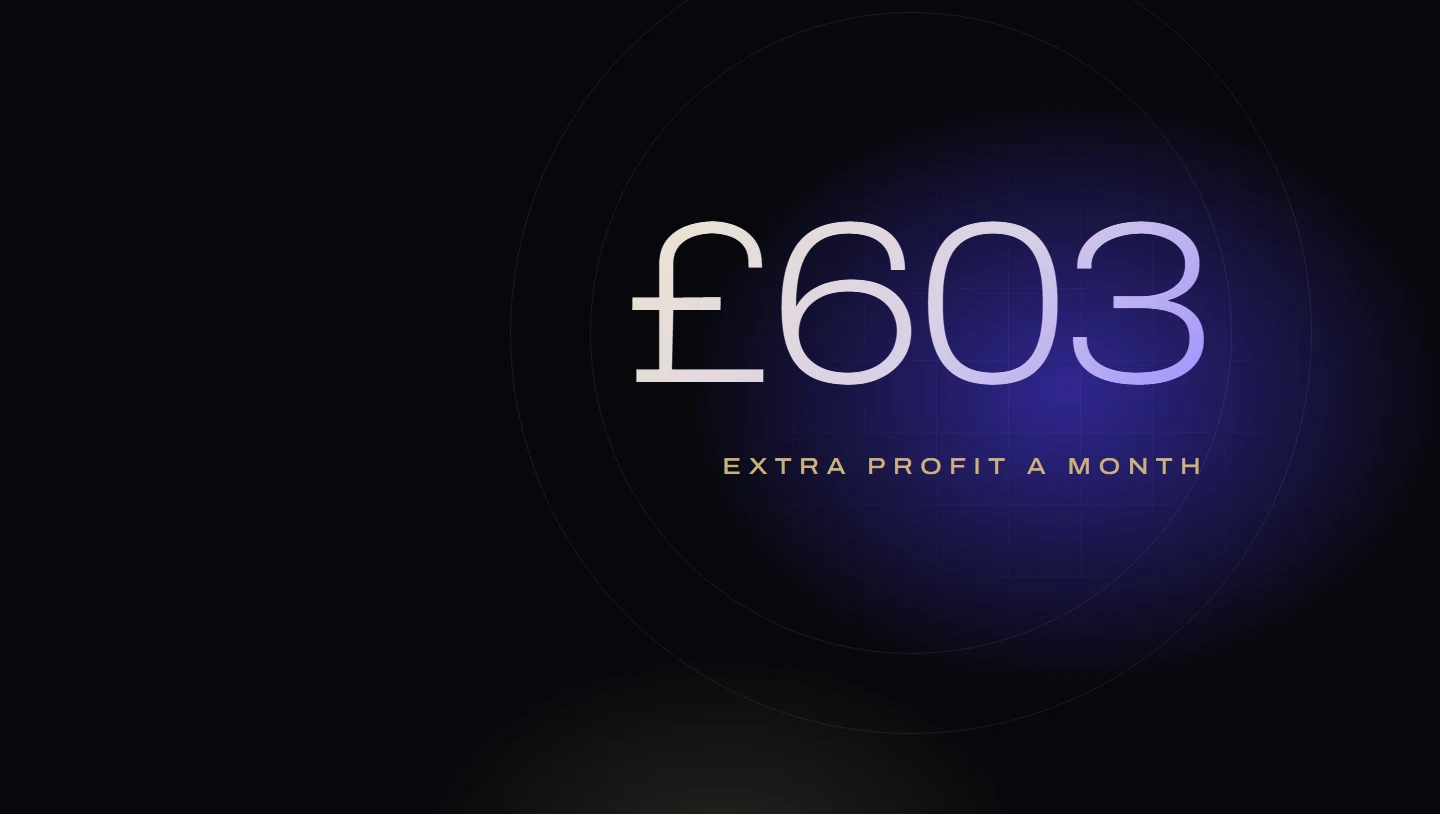
- £603
- Extra profit a month from cutting returns from 12% to 8% on 1,000 units (worked example)
From Robert Prime and the Mr. Prime team, who manage Amazon advertising for founder-led UK and European brands: £2.5m of ad spend across our client accounts in the last 12 months. For one client, our plan for this fourth quarter is to raise profit by cutting returns rather than chasing sales.
Most brands we speak to know their return rate roughly. Very few know what a return costs them in pounds, or which part of their listing caused it. That matters, because a return is not a lost sale. It is a lost sale plus fees and ad money you have already spent, and sometimes the product as well.
The good news is that returns are one of the few profit problems you can fix without spending more. No extra ads, no price cut. This guide shows where to find the reasons in Seller Central UK, the sum for what each return costs, the UK fee for products that come back too often, and the fixes we make, in order.
What one return really costs
Start with one sale that goes well. These are invented figures for a single FBA product.
| VAT at 20% | £4.00 | 16.7% |
|---|---|---|
| Referral fee (15%) | £3.60 | 15.0% |
| FBA fulfilment fee | £3.00 | 12.5% |
| Product cost | £6.00 | 25.0% |
| Advertising per order | £2.00 | 8.3% |
| Profit | £5.40 | 22.5% |
| Price the shopper pays | £24.00 | 100% |
The sum: £24.00 − £4.00 − £3.60 − £3.00 − £6.00 − £2.00 = £5.40 profit.
Now the customer sends it back. The £24.00 is refunded and the VAT on it goes with it. Here is what you have still spent:
- Refund administration fee. Amazon refunds your referral fee “minus the applicable refund administration fee, which is the lesser of £5.00 or 20% of the applicable referral fee"6. On a £3.60 referral fee, Amazon keeps £0.72.
- The fulfilment fee. Amazon refunds the referral fee, less the admin fee6. The order was picked, packed and delivered, and the fulfilment fee isn’t refunded in this example, so the £3.00 is spent.
- The advertising. The £2.00 of ad spend that won the order is gone.
- The product, if it can’t be resold. Amazon grades every return. Units graded “CUSTOMER DAMAGED” or “DEFECTIVE” are unsellable and are removed or disposed of under your settings2. That is the £6.00 product cost plus a removal or disposal fee, which we take as £0.75 here.
| Returned, sellable | Returned, unsellable | |
|---|---|---|
| Refund administration fee | £0.72 | £0.72 |
| Fulfilment fee | £3.00 | £3.00 |
| Advertising | £2.00 | £2.00 |
| Product cost | £0.00 | £6.00 |
| Disposal fee (illustrative) | £0.00 | £0.75 |
| Money already spent | £5.72 | £12.47 |
| Profit you expected on the sale | £5.40 | £5.40 |
| Cost of the return against a kept sale | £11.12 | £17.87 |
So one return in this example wipes out the profit on two sales if the item can be resold, and on more than three if it can’t. And that is before the fee below.
The cost of one return
Cost of a return = lost profit + refund admin fee + fulfilment fee + ad cost per order + (product cost + disposal fee, if unsellable)
Against a sale the customer keeps. Add the returns processing fee if the product is over its category threshold.
The sum leaves out two real costs with no reliable £ figure: worse reviews, which lower conversion on every future visit, and the badge Amazon can put on the listing (below).
The UK returns processing fee
Amazon UK confirms this fee on its own page, so here are its terms as published.
For FBA products in most categories, “a returns processing fee applies to all Fulfilment by Amazon (FBA) products … with a high return rate by category”. It applies to orders fulfilled in the UK, Germany, France, Italy and Spain5. Clothing, accessories and footwear are different: where Amazon offers free return shipping, they pay a fee on every returned unit “equal to 50% of the fulfilment fees for an individual unit"5. Every other category pays only above a threshold.
- How the rate is measured. “Your product’s return rate is the percent of shipped units in a given month that are returned by customers over that month and the subsequent two calendar months"5. The fee applies to each returned unit above the threshold and is charged between the 7th and 15th of the third month after.
- The UK thresholds (effective 1 February 2025) include 7.26% for Everything else, 7.14% for Home and Kitchen, 5.65% for Beauty, Health and Personal Care, 6.17% for Toys and Games, 7.76% for Sports and Outdoors and 2.94% for Grocery5.
- The UK rates depend on size tier. For example, £1.87 for a standard envelope up to 210 g, £2.27 for a small parcel up to 400 g and £2.41 for a standard parcel up to 900 g5.
- Exemptions. A product is exempt “if it ships less than 25 units in a given month”, and backpacks and handbags are exempt5. For new products, Amazon’s New Selection Programme (2026) gives the first 200 units of an eligible new-to-FBA parent ASIN “free customer return processing” within 120 days of the first FBA inbound9. Our product launch guide covers the rest of that programme.
- Where to see it. Amazon points you to the FBA Returns page for the return rate, and to the SKU economics report or the Payments Dashboard for the charges5.
The full FBA rate card, including removal and disposal fees, is in our FBA fees guide.
The frequently returned item badge
There is a second cost that shoppers can see. Amazon UK says it is “piloting a new badging programme to identify items with the highest return rates for their product category”, applied so far to “a small number of offers"8. It compares an offer’s return rate with the average for its category, and if several sellers share a listing, only your own return rate counts.
Amazon is plain about the effect: the badge “encourages customers to consider reviews and product details”, and “it’s possible this could result in fewer sales”. It says “We cannot provide individual exemptions”, and that it removes the badge when the return rate “falls into product category norms"8. The Returns and Recovery Insights tool flags each product as “High” (has the badge), “At Risk” (close to it) or “Low” (a Frequently Kept badge)4, so you can see it coming.
Where to see returns and their reasons
Seller Central UK has four places that matter. Each one counts returns slightly differently, which is worth knowing before you compare numbers.
| Where | What it shows | How it counts the return rate |
|---|---|---|
| FBA Returns page (Inventory, FBA Dashboard, then the Inventory tab)1 | Every FBA return by ASIN, with the customer’s reason, comment, refund date and the grade the unit was given | Orders refunded divided by orders placed, as at the day you look1 |
| FBA customer returns report2 | The same returns as a download, with reason codes and customer comments | Returns only, no rate |
| Voice of the Customer3 | CX Health for each offer, the NCX return rate, the most frequent issues and suggested causes | Orders returned for a product or listing issue divided by total orders |
| Returns and Recovery Insights4 | Return rate, refunds issued, critical review rate and FBA return fees by product, for FBA and your own deliveries | Units shipped and returned or refunded, with a 45-day delay |
Three things to know when you read them:
- The reason codes are in the download, not on screen. Amazon says the codes “are only available in the downloadable version of the report"2. The ones that point at your listing include “I accidentally ordered the wrong item”, “Not as described on the website”, “Shipment was missing items or accessories” and “Product is not compatible with my existing system"2.
- The FBA Returns page may tag listing problems. For some returns it may show a “Listing Insight” that “shows whether your listing content may have led to the return”, for reasons such as wrong item, missing parts and not as expected1.
- Voice of the Customer counts only the returns you can fix. Its NCX return rate is “the number of orders returned for which customers reported a product- or listing-related issues divided by total orders”, and Amazon notes it covers “solely … the subset of returns due to NCX, not all returns"3. It draws on returns, refunds, customer service contacts, messages, feedback, A-to-z claims and reviews3.
Except the monthly fee return rate Amazon shows on the FBA Returns page, none of these is the same as the rate used for the returns processing fee, which only counts units physically returned to a fulfilment centre45. So when someone quotes “our return rate”, ask which one.
Sort the returns before you fix anything
Download 90 days of the FBA customer returns report. For your top products by returns, sort every return into one of four groups. This takes an hour and decides where the money goes.
| Group | Typical reason codes and comments | Who fixes it |
|---|---|---|
| The listing | Ordered the wrong item, not as described, not compatible, smaller or larger than expected, wrong colour or option | You, on the detail page |
| The product | Defective, quality not acceptable, missing parts | You, with your supplier |
| The journey | Damaged by carrier, damaged after arrival, late delivery | Packaging, or a reimbursement claim |
| The shopper | No reason given, found a better price, unwanted | Mostly nobody. Watch for price gaps |
In our experience the first group is usually the biggest and the cheapest to fix. A product fault means a new production run. A listing fault means an afternoon’s editing.
When your listing contradicts itself
This is the most common listing cause we find, and it is easy to miss because each part of the page looks fine on its own.
A listing has at least five places that state facts: the title, the bullet points, the specification table, the description or A+ content, and the images. They are often written at different times by different people. So the title says one capacity, an infographic shows another, and the specification table has a third, left over from a previous version. A shopper who reads the part that is wrong orders, receives something different, and returns it as “not as described”. Amazon’s shopping assistant answers questions from the same page, so it can repeat the wrong one too; our Rufus guide explains how.
That is why “listing facts agree with each other” is check 3 of every audit we run. We compare the title against the bullets, the specification table, the description and the images, and a finding is any page with two different dimensions, weights, capacities or quantities on it.
Run it yourself on your five most-returned products:
- List every number on the page. Dimensions, weight, capacity, quantity in the pack, compatibility, materials.
- Check each one appears once, or the same everywhere. Include the text inside images, which is easy to forget.
- Check every option. On a variation listing, each child has its own attributes and images. A child that has inherited the parent’s images can show the wrong colour or contents.
- Fix the source, then the copies. Correct the specification attributes first, then the bullets, then the images and A+.
Our listing optimisation guide covers each part of the page, and the free listing checker flags the gaps quickly.
The fixes, in order
Fix returns in this order
- Make the facts agreeOne value for every dimension, weight, capacity and count, everywhere on the page.
- Make the options easy to tell apartName, image and key difference for every child, in the first image and the first bullet.
- Show scale and contentsAn image with the product next to something familiar, and one showing everything in the box.
- Answer the returns commentsTurn the most common comment into a bullet, an image or an A+ module.
- Fix packagingFor damage returns, test the pack, then claim what Amazon or a carrier broke.
- Then the productTake defect and quality returns to your supplier with the comments as evidence.
Options shoppers can tell apart
When the reason is “ordered the wrong item”, the shopper usually didn’t misread. The listing made two options look the same. Put the difference where shoppers look first: the option name, the main image of each child, and the first bullet. “Holds 2 litres; the Plus holds 3” helps. “Standard” and “Plus” don’t.
Images that show scale and contents
Many “smaller than expected” and “missing parts” returns come from images that show the product alone on white. Add one image with the product next to something familiar, with the measurements written on it, and one showing everything in the box. Amazon’s own advice to sellers with a frequently returned item is to make sure the detail page “includes the information that a customer needs to make a purchase decision, such as accurate images of the item"8. Our A+ content blueprint shows how to lay out comparison charts and what’s-in-the-box modules.
Turn comments into content
Read the customer comments on the FBA Returns page1 and in Voice of the Customer, which groups them into “the most frequently reported customer issues"3. If ten people write “didn’t realise it needs a separate charger”, that is a missing bullet. If they write “thought it was a two-pack”, that is a missing number in the title.
Packaging
Damage in transit is partly Amazon’s cost, partly yours. Amazon takes ownership of units it graded “DAMAGED” or “CARRIER DAMAGED” and compensates you under its reimbursement policy2. Units a customer opened or broke are yours. If damage returns are high, test your pack before you redesign the product, and check the claims in our FBA reimbursements guide.
Reviews
Returns and poor reviews usually share a cause, so fixing one fixes the other. Returns and Recovery Insights shows a “critical review rate” for each product’s returns4. Once the listing is fixed, our reviews guide covers how to rebuild the rating within the rules.
What cutting returns is worth: a worked example
Same invented product, 1,000 units shipped a month, in the Everything else category with its 7.26% threshold, sized as a small parcel up to 400 g, so each fee-paying return costs £2.275. Three of every four returns come back sellable. 7.26% of 1,000 is 72.6; Amazon doesn’t say how it rounds this, so we treat the first 73 returns as free: 47 and 7 units pay.
| Before: 12% returns | After: 8% returns | |
|---|---|---|
| Returns | 120 | 80 |
| Sellable / unsellable | 90 / 30 | 60 / 20 |
| Profit on kept sales (× £5.40) | 880 × £5.40 = £4,752.00 | 920 × £5.40 = £4,968.00 |
| Money spent on sellable returns (× £5.72) | £514.80 | £343.20 |
| Money spent on unsellable returns (× £12.47) | £374.10 | £249.40 |
| Returns processing fee (returns above 73, × £2.27) | 47 × £2.27 = £106.69 | 7 × £2.27 = £15.89 |
| Profit for the month | £3,756.41 | £4,359.51 |
The sums: £4,752.00 − £514.80 − £374.10 − £106.69 = £3,756.41, and £4,968.00 − £343.20 − £249.40 − £15.89 = £4,359.51. The difference is £603.10 a month, or £7,237.20 a year, from the same traffic and the same ad budget.
To make the same £603.10 by selling more at the old return rate, you would need about 160 more units a month (£603.10 ÷ £3.76 profit per unit shipped), or roughly 16% more sales. And every one of those extra sales needs stock and cash up front.
Your own numbers will differ. The point is the shape: returns are profit you already paid to win.
A Q4 note
Amazon’s Extended Holiday Returns policy means “most of the orders purchased between November 1 and December 31 … may be returned until January 31” of the next year7. So your Q4 return rate isn’t final until February, and the returns processing fee on December’s shipments is charged in March5. If you judge Q4 by sales in December, you are judging it before the returns arrive.
Put returns into your profit per product
Returns belong in your profit per product, not in a general “Amazon costs” line where no one can act on them. When you work out profit per product, include each product’s return rate, how many returns come back sellable, and the fee if it is over the threshold. The products with the worst returns are often the ones that look best on a sales report. Our FBA fee and profit calculator and the Profit X-Ray both take a returns figure, and How we measure sets out the listing checks we run on every audit.
Frequently asked questions
How much does an Amazon return cost a seller?
What is Amazon's returns processing fee in the UK?
Where can I see why customers return my products on Amazon?
What is the frequently returned item badge?
How do I reduce returns on Amazon?
Does Amazon reimburse me for returned items?
Sources
- FBA Returns page. Amazon Seller Central UK. Checked 26 October 2026.
- FBA customer returns report. Amazon Seller Central UK. Checked 26 October 2026.
- Voice of the Customer. Amazon Seller Central UK. Checked 26 October 2026.
- Returns and Recovery Insights. Amazon Seller Central UK. Checked 26 October 2026.
- Returns processing fee. Amazon Seller Central UK. Checked 26 October 2026.
- Selling on Amazon fee schedule: Amazon UK. Amazon Seller Central UK. Checked 26 October 2026.
- FBA customer returns. Amazon Seller Central UK. Checked 26 October 2026.
- Frequently returned item badge FAQ. Amazon Seller Central UK. Checked 26 October 2026.
- New Selection Programme - 2026. Amazon Seller Central UK. Checked 26 October 2026.
- FBA customer returns reimbursement policy. Amazon Seller Central UK. Checked 26 October 2026.
How this guide was made
Written by Robert Prime and reviewed by Stephen Harrison at Mr. Prime, which runs Amazon accounts for UK brands and is judged on their profit. We used AI tools to help research and draft it; Robert edited it and takes responsibility for it. Every Amazon fee, rule, report and menu name was read on Amazon’s own UK Seller Central help pages on 26 October 2026. The worked examples use invented figures and say so.
Every figure above links to the primary source it came from, and we recheck them when Amazon changes its fees or definitions. Read our editorial standards. Spotted something wrong? Tell us through our contact page and we will correct it and note the change here.
About the author
Robert Prime
Robert has spent more than two decades building, growing and selling online businesses, including an Amazon brand he built and sold for seven figures.
His other exits include Telematics.com, sold to LexisNexis, and Remortgage.com. He co-owned UpDownDesk.com.au, growing it on Shopify alone from £12k to £350k a month before he exited, one of more than six Shopify businesses he has built and sold.
He sets and reviews the strategy for every Mr. Prime client, with the view of an operator who has sat on your side of the table.

Reviewed by
Stephen Harrison
Fourteen years a police officer, then his own Amazon brands. Now runs more client accounts than anyone, meticulously.
Your numbers, not ours
See your own break-even, TACoS and profit after ads.
The Profit X-Ray works it out from four monthly figures, or from your Business Report, in your browser.