
Amazon strategy · 15 minute read
The products outside your top 10: where the hidden Amazon profit is
In most catalogues a handful of best-sellers carry the business and the rest drift. Those slow products are rarely worth ignoring and rarely worth cutting in a panic. Here is how we sort each one into fix, bundle, drop or leave, judged on profit per product, with Amazon's UK fees and a worked example where every sum is shown.

By Robert Prime, CEO and co-founder
Reviewed by Stephen Harrison, Account Director
- Published
- Last reviewed
- Sources
- 8 primary and labelled
Cover designed for Mr. Prime.
The short answer
Key takeaways
- Rank the tail by profit per product after fees, ads, storage and returns. Sales rank tells you which products are busy, not which ones make money.
- Every slow product gets one of four decisions: fix it, bundle it, drop it or leave it alone. ‘Leave’ is a decision too, and often the right one.
- Put a £ prize on each decision: the 12-month profit change minus the one-off cost of acting. Work down the list from the biggest prize.
- Slow stock costs more than its own storage. In the UK it adds an aged inventory surcharge from 241 days, and a slow tail can push your whole size tier over the 22-week line for the storage utilisation surcharge.
- A bundle only adds profit if it sells to shoppers who would not have bought anyway. Work out how many bundle sales replace a best-seller sold on its own before you discount anything.
By the numbers
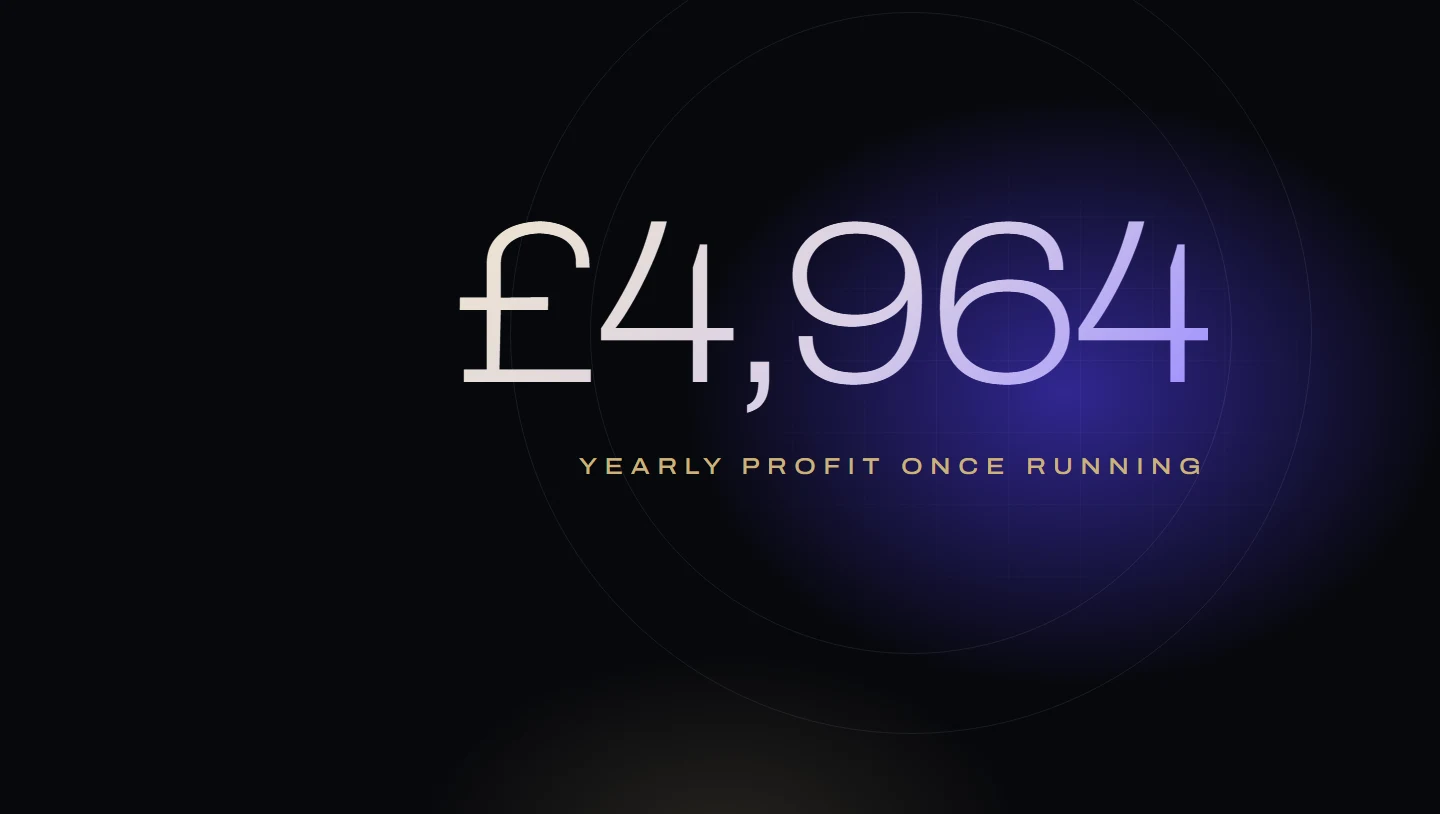
- £4,964
- Extra profit a year once running, before one-off costs, from sorting four slow products (worked example)
- 241 days
- Age at which UK FBA stock starts to pay the monthly aged inventory surcharge (Amazon UK)
- £1.51
- UK storage per cubic foot a month, October to December, for most standard-size products (Amazon UK)
- £36
- Monthly loss from a bundle sold only to shoppers who would have bought anyway (worked example)
From Robert Prime and the Mr. Prime team, who manage Amazon advertising for founder-led UK and European brands: £2.5m of ad spend across our client accounts in the last 12 months. Recently a brand became a client after we audited the products outside its best-sellers for profit it was leaking.
Most Amazon catalogues follow the same shape. A few products carry the business and the rest sit in a long line behind them, selling a little, costing a little, and getting almost no attention. That shape is normal. What is not normal is knowing, product by product, whether the products behind the best-sellers make or lose money.
The usual advice treats those products as “dead stock” to clear before storage fees bite. That is half the story. Some of them hold profit you can win back with a small fix. Some are worth more sold alongside a best-seller. Some should go. And some are fine exactly as they are. The skill is telling which is which, using profit per product rather than sales.
Rank by profit, not by sales
Sales rank tells you which products are busy, not which ones make money. A steady seller can lose money once fees, ads and storage are counted, while a product selling twelve a month with no ads quietly profits on every one.
Amazon now gives you most of the sum. Profit analytics in Seller Central “combines sales, returns, fees, ads and seller provided cost data to help you analyse profitability at the SKU, ASIN and parent-ASIN level"1. Amazon says it “automatically includes all selling fees, referral fees, fulfilment fees and storage fees”, including the aged inventory surcharge, removal, disposal and liquidation fees, and Sponsored Products charges1. Its net proceeds figures “are dependent on seller provided inputs, such as inbound shipping and cost of goods sold”, and it leaves out your subscription fee1.
Amazon says Profit analytics covers “all active listings” and offers “pre-computed time period options”; “for custom time periods” it points you to the SKU Economics report1. So add your cost of goods, use the longest period Profit analytics offers, or SKU Economics for a custom 12 months so seasonal products get a fair hearing, and sort by profit. A product you have already closed won’t appear among active listings, so check those separately. Our guide to profit per product on Amazon covers the sum in detail, and the Profit X-Ray does it for a whole account.
Then set your top 10 by profit to one side. Everything else is the tail.
What a slow product really costs in the UK
Three UK fees matter, all on Amazon’s UK help pages.
- Monthly storage. Charged “based on calendar month and your daily average volume"2. For most standard-size products it is £0.76 per cubic foot a month from January to September and £1.51 from October to December2. Slow stock now costs about twice what it did in September.
- The aged inventory surcharge. Stock held “for 241 days or more” pays a monthly surcharge assessed on the 15th3. In the UK it starts at £1.18 per cubic foot at 241–270 days, rises to £3.14–£3.41 up to a year, and reaches £6.14 per cubic foot or £0.25 a unit, whichever is greater, after 455 days. Amazon says it is “in addition to the monthly storage fee"3, and it is not refunded if the item sells shortly afterwards3.
- The storage utilisation surcharge. Amazon works out a ratio for each size tier: your average daily stored volume divided by your average daily shipped volume over 13 weeks, in weeks2. If you have a Professional account, first shipped to FBA more than 365 days ago, hold at least 0.71 cubic metres in that tier and the ratio is above 22 weeks, the surcharge is “applied to all inventory in fulfilment centres aged above 30 days"2. Amazon’s rate table shows no surcharge for “sellers with less than 25 cubic feet of daily volume”, new sellers or Individual accounts2.
That last rule is why the tail matters to your best-sellers. The ratio is per size tier, not per product. A shelf of slow products adds stored volume without adding much shipped volume, which pushes the whole tier’s ratio up. Cross 22 weeks and your best-sellers’ stock older than 30 days pays the surcharge too. Amazon’s Monthly Storage Fee report shows which SKUs “historically drive your storage costs"2, and the FBA dashboard shows your ratio. Our Amazon FBA fees guide has the full rate card.
Four decisions: fix, bundle, drop or leave
Every product in the tail gets exactly one of four decisions. Four yes-or-no questions sort them.
| Question | Where to find the answer |
|---|---|
| 1. Does it make money per unit after fees, ads, storage and returns? | Profit analytics, plus your cost of goods1 |
| 2. Are shoppers looking at it? | Sessions and unit session percentage in Business Reports7 |
| 3. Is there a specific, fixable reason it under-sells? | The listing, the search card, the price and pack against rivals |
| 4. Is it often bought with one of your top 10? | The Market Basket Analysis dashboard in Brand Analytics8, or your own order data |
Then:
- Fix when shoppers are looking (2) and you can name the fix (3). The product has demand it is failing to turn into profit.
- Bundle when demand on its own is weak but it is bought with a best-seller (4) and it can make money inside the bundle.
- Drop when it loses money (1) and no fix you can name turns that round, or the fix costs more than it would ever earn back.
- Leave when it makes money (1), costs little to hold and there is no clear fix. Keep it in stock and listed accurately, spend no extra time on it, and give it no advertising beyond the search terms that have already proved they pay.
“Leave” is not a cop-out; the mistake is leaving products by default rather than on purpose. Our inventory playbook uses the same idea for reordering: heroes, fixable products, cash traps and strategic keepers.
Score each decision in pounds
Once each product has a decision, you need an order to work in. We use one number.
The £ prize for each decision
Prize = 12-month profit change − one-off cost of acting
Use profit after fees, advertising, storage and returns. For a product you drop, count what selling through or clearing the stock you already hold brings in.
Sort by prize and start at the top. A fix that adds £300 a month and costs £1,200 beats a perfect listing for a product that adds £10 a month. If the prize is smaller than the cost of anyone’s time to deliver it, the honest answer is “leave”.
A worked example
Here are four products from the tail of an imaginary brand with 60 products. The figures are invented. Profit per unit is after VAT, Amazon’s referral and FBA fees, cost of goods and returns, but before advertising and storage. Storage uses the January to September rate of £0.76 per cubic foot2.
| VAT | £2.50 | 16.7% |
|---|---|---|
| Amazon referral and FBA fees | £4.10 | 27.3% |
| Cost of goods | £4.70 | 31.3% |
| Returns | £0.50 | 3.3% |
| Profit before ads and storage | £3.20 | 21.3% |
| Price the shopper pays | £15.00 | 100% |
| Product | Price | Units a month | Profit per unit before ads and storage | Ad spend | Storage | Profit a month |
|---|---|---|---|---|---|---|
| A: refill pack | £15 | 120 | £3.20 (£384.00) | £420.00 | £13.68 (18 cu ft) | −£49.68 |
| B: spare part | £18 | 40 | £5.50 (£220.00) | £0.00 | £5.47 (7.2 cu ft) | £214.53 |
| C: large gift set | £30 | 15 | £2.10 (£31.50) | £60.00 | £34.20 (45 cu ft) | −£62.70 |
| D: small accessory | £9 | 25 | £1.40 (£35.00) | £0.00 | £9.12 (12 cu ft) | £25.88 |
| Total | £128.03 |
Between them they sell £3,195 a month (£1,800 + £720 + £450 + £225) and make £128.03. A looks healthiest on sales and loses money.
A: fix. Shoppers are looking at it, but too few of them buy. Start with the ads: cut spend to £300 by stopping search terms that brought clicks but no sales. Those terms sold nothing, so units hold at 120: £384.00 − £300.00 − £13.68 = £70.32, already £120.00 better. Now suppose the search card shows the wrong pack size and the listing’s facts disagree, and fixing both lifts sales from 120 to 180 units a month. Profit: 180 × £3.20 = £576.00, minus £300.00 ads and £13.68 storage = £262.32. That is £312.00 a month better than today. Say the new images and copy cost £1,200: the prize is £312.00 × 12 − £1,200 = £2,544. Storage is kept the same to keep the sum simple.
B: leave. It makes £214.53 a month with no advertising and costs £5.47 to store. There is nothing to fix that would be worth the time. Keep it in stock and move on. Prize: £0, which is fine.
C: drop. It loses £62.70 a month and nobody is searching for it. Each unit cost £12.00 to make, so the 90 in stock cost £1,080, and that money is spent whatever you do next. The gain comes from not reordering. Suppose, as with A, the ads were buying clicks rather than sales, so it keeps selling about 15 a month with the ads off. Then the 90 units sell through in six months, well before 241 days if the stock is young enough. Average stock falls from 82.5 units in the first month to 7.5 in the sixth: 270 unit-months × 0.5 cu ft × £0.76 = £102.60 of storage. Profit over the six months: 90 × £2.10 = £189.00 − £102.60 = £86.40, then nothing, because you don’t reorder. Keeping it as it is would lose £62.70 × 12 = £752.40 over the same year, so the prize is £86.40 + £752.40 = £838.80. If those six months fall in October to December, storage at the £1.51 peak rate would be 270 × 0.5 × £1.51 = £203.85, turning the £86.40 into a £14.85 loss: still far better than keeping it. Sell-through only works if it beats the clock; leave the stock sitting and the cost grows: in peak months its storage is 45 × £1.51 = £67.95 a month2, and once the units reach 241 days the aged surcharge adds 45 × £1.18 = £53.10 that month, then 45 × £3.14 = £141.30 the month after3.
D: bundle. It makes only £25.88 a month on its own, but shoppers often buy it with hero product H, a £20 best-seller that makes £5.00 a unit before ads and storage. Offer H and D together for 10% off the £29 combined price. Suppose the discount costs you £2.00 a bundle after VAT and the lower fees. Each bundle makes £5.00 + £1.40 − £2.00 = £4.40. If it sells 60 bundles a month and 45 of those shoppers would have bought H alone anyway, the bundles make 60 × £4.40 = £264.00 against 45 × £5.00 = £225.00 from H on its own: £39.00 a month better. D’s own sales carry on. The bigger gain is that D’s 80 units now move at about 85 a month instead of 25, so they never get near 241 days, and you will need to reorder sooner. Prize over 12 months: £468, if your account has the bundle tool, since there is no setup fee for a virtual bundle6.
Before: £128.03 a month. After: £262.32 + £214.53 + £0 + £25.88 + £39.00 = £541.73. Once C has sold through, that is £413.70 a month, or £4,964.40 a year once running, from four products nobody was looking at. The first year is lower, because the fix costs £1,200 and C takes six months to clear: add up the prizes and it is £2,544 + £0 + £838.80 + £468 = £3,850.80 better.
Fix: find the reason, not a better listing in general
A fix needs a named reason the product under-sells. Our audit standard checks the same things on a tail product as on a best-seller. In our audits, three of them find most of the problems on slow products:
- What the shopper sees on the search card. The price shown, the pack size shown and the delivery promise, against the cards around it.
- Whether the listing’s facts agree. Two different sizes, weights or quantities on one page cost sales and invite returns.
- Basket size. Whether a multipack or set exists, and whether the “Frequently bought together” slot goes to you or to a rival. This is the check that turns up bundle candidates.
Then look at the advertising. Our break-even ACoS guide shows the most a product can spend on ads before every sale loses money, and our guide to advertising at portfolio scale sets out how we give the tail a small, strict budget: exact-match terms that have already converted, or nothing.
Bundle: virtual or physical
A virtual product bundle is a single listing made of separate products. Amazon’s UK help page describes bundles of “two to five complementary ASINs that are bought together from a single detail page”, with the components “fulfilled and shipped individually"6. It lists the United Kingdom among the stores where bundles can be created6. The rules worth knowing:
- You need a Brand Representative or Authorised Reseller role in Brand Registry, and every component needs “active FBA inventory in the ‘New’ condition"6.
- The price is the sum of the components less a discount percentage you set. If the bundle costs more than buying the parts separately, including any deals running on them, it loses Featured Offer eligibility6.
- Fees are the same “as if they were purchased individually”, and there is “no additional fee for creating or selling a virtual bundle"6.
- The bundle has its own reviews, can’t sit in a variation family, and can be advertised with Sponsored Products and Sponsored Brands6.
An earlier Amazon staff post on its seller forum said US only, so we check each UK account before planning around it. Check the tool appears in your own account. If it doesn’t, a physical pack is the route, with its own fees.
A physical pack or multipack is a new product: you pack it, list it and send it in as one unit, and it pays fulfilment fees for its own size and weight. Run its fees through our FBA calculator before you order packaging.
Either way, do the cannibalisation sum above first. The Market Basket Analysis dashboard shows brand owners “what products Amazon customers (in aggregate) most frequently bought at the same time” as theirs8, which tells you which pairs are worth testing. Our Brand Analytics guide shows how to read it.
Drop: clear the stock before the 15th
Dropping a product is two jobs: stop paying to sell it, then stop paying to store it. Stop the ads the same day and cancel the next order. Then choose how to clear the stock you already hold. Product C is a standard-size unit of 501–1,000 g that cost £12.00 to make and brings in £14.10 a sale after VAT, fees and returns (£2.10 profit plus its £12.00 cost). Here is the cash each route brings back for the 90 units:
| Option | Cash for 90 units | Notes |
|---|---|---|
| Sell through, ads off, don’t reorder | about £1,166.40 in | 90 × £14.10 = £1,269.00, less £102.60 storage over six months. Only if it sells before 241 days |
| Liquidate | about £99.90 in | £1.11 a unit: £30 × 7.5% = £2.25, less a 15% referral fee (£0.34) and a £0.80 processing fee5 |
| Return to you | £141.30 out | £1.57 a unit, and you still have to sell or store them yourself4 |
| Dispose | £205.20 out | £2.28 a unit; Amazon donates or recycles what it can4 |
Liquidating stock that could still sell would turn £1,080 of stock into £99.90. Use liquidation, removal or disposal for the units that can’t sell in time, not as the first answer.
The 7.5% is the rate in Amazon’s own worked example, and Amazon says the rate “may vary based on contracted rates with the liquidators"5. Amazon “will attempt to arrange a buyer” within 30 days, the money arrives about 60 days after the removal is marked complete, and you need a verified VAT number and the VAT Calculation Service to take part5.
Timing matters as much as method. The aged surcharge is assessed on the 15th of each month, and Amazon says it is “sufficient to submit the removal request before the inventory cleanup date and the removal does not need to be complete"3. The Recommended Removal report lists the units due to be charged, but Amazon says it only picks them up in the six weeks before each cleanup date3, so check it monthly. Removed ASINs “should not be restocked for the following eight weeks"3. Since 1 May 2026 removal fees are charged as each unit is removed4.
Two cautions on the gain. The stock you hold is already paid for: whatever route you pick, its cost is spent, so compare routes on the cash they bring back and write off only what you can’t sell. And dropping a product saves its losses and its storage, not its share of your overheads: your team, your software and your warehouse rent stay the same. Count only what really stops.
What our audits taught us about the tail
Recently a brand became a client after a free audit aimed squarely at them: slow-moving products, checked for the profit each one was leaking.
We have also learned what does not work. A prospect we didn’t win told us the product our free audit focused on was not a top priority or a big seller. The findings were sound; the product was wrong. Now we choose the products to audit by money: the biggest prizes first, whatever the sales report says.
And a finding is not the same as a win. The brand that became a client also already knew about its missing stock. What it wanted was a change whose net benefit beat its cost. That is the prize formula above, and it is why every fix in our audits carries a £ figure. Our How we measure page explains how we work each one out.
A tail review every quarter
Run this once a quarter
- Pull profit per productProfit analytics over its longest period, or SKU Economics for a custom 12 months, with your cost of goods added.
- Set aside the top 10Ranked by profit, not sales. They get their own plan.
- Sort the restFour questions, one decision each: fix, bundle, drop or leave.
- Put a £ prize on each12-month profit change minus the one-off cost.
- Work from the topBiggest prize first. Leave anything whose prize doesn’t cover the time.
- Check the stock clockRecommended Removal report before the 15th; storage ratio against 22 weeks.
After the first time it takes an afternoon, because most of the tail will be marked “leave” and won’t need looking at again until something changes.
If you would rather we ran this with you, it is the same sort we use in a Profit Audit, with every £ figure worked out from your own account.
Frequently asked questions
How do I find out which of my Amazon products lose money?
Should I discontinue slow-selling products on Amazon?
What does it cost to keep slow stock in Amazon's UK warehouses?
Is it better to liquidate, remove or dispose of slow Amazon stock?
Can I create virtual bundles on Amazon UK?
Can slow products raise the fees on my best-sellers?
Sources
- Profit analytics. Amazon Seller Central UK. Checked 26 October 2026.
- Monthly storage fees. Amazon Seller Central UK. Checked 26 October 2026.
- Fulfilment by Amazon aged inventory surcharge. Amazon Seller Central UK. Checked 26 October 2026.
- FBA return-to-seller order and disposal fees. Amazon Seller Central UK. Checked 26 October 2026.
- FBA Liquidations overview. Amazon Seller Central UK. Checked 26 October 2026.
- Virtual product bundles. Amazon Seller Central UK. Checked 26 October 2026.
- Business reports glossary. Amazon Seller Central UK. Checked 26 October 2026.
- Market Basket Analysis dashboard. Amazon Seller Central UK. Checked 26 October 2026.
How this guide was made
Written by Robert Prime and reviewed by Stephen Harrison at Mr. Prime, which runs Amazon accounts for UK brands. We used AI tools to help research and draft it; Robert edited it and takes responsibility for it. Every Amazon fee, report name and rule was read on Amazon’s own UK Seller Central help pages on 26 October 2026. The worked examples use invented figures and say so.
Every figure above links to the primary source it came from, and we recheck them when Amazon changes its fees or definitions. Read our editorial standards. Spotted something wrong? Tell us through our contact page and we will correct it and note the change here.
About the author
Robert Prime
Robert has spent more than two decades building, growing and selling online businesses, including an Amazon brand he built and sold for seven figures.
His other exits include Telematics.com, sold to LexisNexis, and Remortgage.com. He co-owned UpDownDesk.com.au, growing it on Shopify alone from £12k to £350k a month before he exited, one of more than six Shopify businesses he has built and sold.
He sets and reviews the strategy for every Mr. Prime client, with the view of an operator who has sat on your side of the table.

Reviewed by
Stephen Harrison
Fourteen years a police officer, then his own Amazon brands. Now runs more client accounts than anyone, meticulously.
Your numbers, not ours
See your own break-even, TACoS and profit after ads.
The Profit X-Ray works it out from four monthly figures, or from your Business Report, in your browser.