
Amazon strategy · 14 minute read
Which of your products should be on Amazon next? A catalogue plan for manufacturers and wholesalers
Most advice on growing an Amazon range is written for resellers: list 15 to 20 items, then add more each week. A manufacturer or wholesaler with thousands of products needs a different question answered. Here is how we score every unlisted product on demand, margin and competition, using Amazon's own data and UK fees, and how to launch and judge the first batch.

By Robert Prime, CEO and co-founder
Reviewed by Stephen Harrison, Account Director
- Published
- Last reviewed
- Sources
- 12 primary and labelled
Cover designed for Mr. Prime.
The short answer
Key takeaways
- Rank unlisted products by estimated monthly profit, not by search volume: monthly searches × search conversion × the share you can realistically win × margin per unit.
- Search Query Performance only covers searches already associated with your brand’s catalogue. For products you have not listed, use Product Opportunity Explorer and the Amazon Search Terms report.
- Work out margin with the fee for the product’s real FBA size tier. In our illustration, packing a product into a box 20 cm shorter moves it out of oversize and adds £1.35 a unit.
- Make the barcode (GTIN) the key that joins your product data to Amazon’s catalogue. Matching by title and colour sent about one product in ten to the wrong listing in one large range we worked on.
- Launch in batches, with a written forecast for each product, and decide keep, fix or stop at 90 days. The New Selection Programme (2026) cuts fees on the first 200 units of eligible new-to-FBA products.
By the numbers
- 1 in 25
- Fewer than this share of one prospect's 25,000+ product range was listed on Amazon (a prospect we reviewed in 2026)
- £786.60
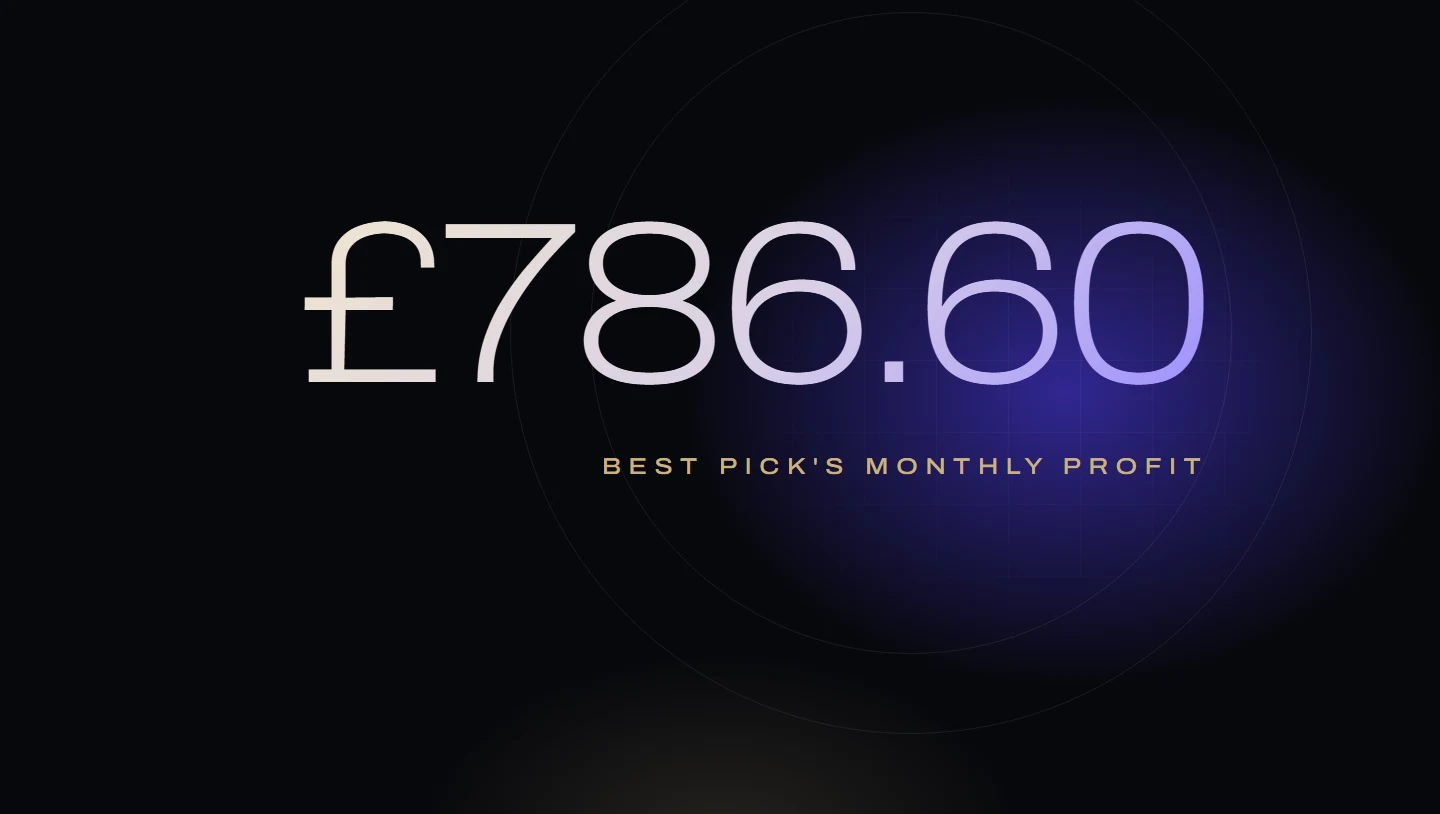
- Estimated monthly profit before ads for the top-ranked product, which had the fewest searches of the three (worked example)
- 200 units
- Units of an eligible new-to-FBA product that get the New Selection Programme (2026) fee discount, within 120 days (Amazon UK)
- 2%
- Amazon's UK fuel and logistics surcharge on FBA fulfilment fees from 2 November 2026, up from 1.5% (Amazon UK)
From Robert Prime and the Mr. Prime team, who manage Amazon advertising for founder-led UK and European brands: £2.5m of ad spend across our client accounts in the last 12 months. In our experience, the biggest growth opportunity for many manufacturers and wholesalers is not their listed products but the much larger range they have never put on Amazon.
Search for advice on adding products to Amazon and most of what you find is written for resellers. List 15 to 20 items, buy a few of each, add more every week. That works when you are buying stock to resell. It does not answer the question a manufacturer or wholesaler actually has: we make or stock thousands of products, a small share is on Amazon, so which ones go next?
The gap is often large. One prospect we reviewed this year had more than 25,000 products in its range and fewer than one in 25 of them listed on Amazon. In our experience that is common among manufacturers and wholesalers: the listed range gets all the attention, and the rest of the catalogue is never looked at with Amazon’s data.
This guide sets out how we choose. Score every unlisted product on three things, turn the scores into a profit estimate, launch a batch, and measure it. If you have not yet settled distributor pricing or who controls your listings, start with our guide to Amazon for manufacturers, which covers channel conflict, competition law and a first launch of 10 to 20 hero products. This guide is about everything after that.
Why “list more products” is the wrong starting point
Every product you add costs money before it earns any: photography, content, stock in Amazon’s warehouses, launch advertising and someone’s time. List a large range all at once and that money is spread so thinly that few products rank.
So the question is which products would make the most profit, and in what order. That needs three measurements per product:
- Proven demand. Are shoppers already searching for it on Amazon, and how often do those searches end in a purchase?
- Margin after Amazon’s fees. What is left from each sale after VAT, the referral fee and the FBA fee for its size, before advertising?
- How weak the rivals are. How much of that demand could a new listing realistically win?
Step 1: Cut the range to a shortlist you can research
You can’t research 20,000 products one at a time. A first pass with your own data cuts the range to a few hundred.
- Has a valid barcode and complete product data. No GTIN, no dimensions, no weight, no images: it can’t be listed well yet. Park it and fix the data separately (see the last section).
- Already sells somewhere. Trade orders, your own website, other marketplaces. A product nobody buys anywhere else is a weak first bet on Amazon.
- Isn’t already on Amazon through someone else. Search Amazon’s Add Products tool by each barcode9. If a reseller has already created a listing for your product, it is a different job: taking control of that listing, not creating a new one.
- Fits Amazon. Rule out products reserved for trade customers, and hazardous or very bulky items until you have checked the fees.
What is left is your shortlist: usually a few hundred products, which you can research properly.
Step 2: Measure demand with Amazon’s own data
There are three Amazon sources worth using, and it matters which one you use for products you have not listed yet.
| Source | Who can use it | What it shows | Use it for |
|---|---|---|---|
| Product Opportunity Explorer | Professional sellers1 | For each “niche” of related searches: search volume, click share, search conversion and the top three clicked products1 | Sizing demand for products you don’t sell yet |
| Amazon Search Terms report (Brand Analytics) | Brand representatives in Brand Registry2 | The most popular searches in the store, each with a search frequency rank and the top three clicked products with their click and conversion share2 | Checking how big a search is and who wins it |
| Search Query Performance (Brand Analytics) | Brand representatives in Brand Registry3 | Query volume, impressions, clicks, basket adds and purchases for the top searches “associated with your branded products”, up to 1,000 queries3 | Searches your current range already appears for |
Search Query Performance only covers searches associated with your branded products3, so for anything your range doesn’t already appear for, start with Product Opportunity Explorer.
Amazon describes Product Opportunity Explorer as a tool “to explore estimated customer demand for new product ideas"1. A niche is a group of related searches, and for each search the Search terms tab shows “search volume, click share, search conversion and the top three clicked products"1. The Insights tab covers today, 90 days and 360 days1, which tells you whether demand is seasonal. Amazon says the tool is a guide only and “should not be a substitute for your own judgement"1, so treat its numbers as estimates. Two practical points: the tool “will default to the US store on your first visit"1, so switch it to the UK before you start, and check the period the search volume covers and convert it to a month.
For each shortlisted product, write down the one or two searches a shopper would most likely use to find it, their monthly search volume and their search conversion: the share of searches that end in a purchase. Our keyword research guide covers how to choose the right searches.
Step 3: Work out margin with the right size tier
Margin decides whether demand is worth having. Work it out per unit, before advertising, using Amazon’s UK rates:
- VAT. The standard rate is 20%11, so one sixth of the price the shopper pays is VAT.
- Referral fee. A percentage set by category: Lawn and Garden is 15%, Tools and Home Improvement 13%, and Home Products 8% up to £20 and 15% above, each with a £0.25 minimum5. The fee is a percentage of the price the shopper pays, including VAT12.
- FBA fulfilment fee. A flat fee per unit, set by the packed size tier and weight. Outside peak, UK fees run from £1.83 for a light envelope to £3.58 for a standard parcel up to 11.9 kg; oversize starts at £3.496. From 15 October 2026 to 14 January 2027, parcels and large envelopes cost a little more6.
- Fuel and logistics surcharge. Amazon says it “will increase from 1.5% to 2%” of fulfilment fees from 2 November 20267.
- Digital services fee. 2% of Amazon’s selling and FBA fees for UK sales5.
- Your landed cost. Product, packaging and delivery into Amazon.
The size tier is what people get wrong when they score a range from a price list. A standard parcel can be up to 45 × 34 × 26 cm; beyond that a product is oversize6. Use the packed size as it would ship, not the catalogue dimensions. Our FBA fees guide explains the tiers and dimensional weight.
The FBA calculator runs the sum for your own product.
Step 4: Judge how weak the rivals are
Demand you can’t win is worth nothing to you. Look at who takes the clicks and purchases today on each product’s main searches.
- Concentration. Both Product Opportunity Explorer and the Search Terms report show the top three clicked products for a search12. Amazon defines click share as one product’s clicks after a search divided by all clicks after that search, and conversion share the same way for purchases2. If three products take most of both, the search is held tightly and will be expensive to break into.
- Saturation. Product Opportunity Explorer’s Insights tab includes the number of products and top-clicked products in a niche, which Amazon says helps you “understand saturation in the niche"1.
- Weak listings. Few reviews, poor images, missing details, slow delivery or a price well above yours are openings.
- Complaints. The Customer review insights tab groups review themes for a niche1. A complaint your product solves is an opening.
We turn this into one number: the share of the search’s purchases a good new listing could realistically win within a few months. It is a judgement, so keep it simple. In our example we use 2% where three established products hold most clicks and purchases, 5% where the top is contested, and 10% where the top products are weak. Write down why, so you can check it later.
Step 5: Turn the three scores into one ranking
Multiply the three together and you have an estimate of monthly profit before advertising for every shortlisted product.
Monthly profit potential, before advertising
Monthly searches × search conversion × share you can win × margin per unit
Monthly searches and search conversion come from Product Opportunity Explorer. Share is your judgement from step 4. Margin per unit is from step 3.
Here is how three products from an invented garden range compare, all in Lawn and Garden. All the figures are illustrations. Fees: Amazon’s UK non-peak rates (in force again from 15 January 2027) plus the 2% fuel and logistics surcharge that starts on 2 November 2026.
| Pruning tool set | Cast-iron planter | Long-handled weeder (64 cm box) | |
|---|---|---|---|
| Price | £44.99 | £59.99 | £26.99 |
| VAT (one sixth of price) | £7.50 | £10.00 | £4.50 |
| Referral fee (Lawn and Garden, 15%) | £6.75 | £9.00 | £4.05 |
| FBA fee with 2% surcharge (from 2 Nov 2026) | £3.55 (standard parcel up to 1.9 kg, £3.48) | £3.63 (standard parcel up to 5.9 kg, £3.56) | £4.44 (standard oversize light, £4.35) |
| Digital services fee (2% of fees) | £0.21 | £0.25 | £0.17 |
| Landed cost | £12.00 | £24.00 | £7.50 |
| Margin per unit | £14.98 | £13.11 | £6.33 |
| Monthly searches (main search) | 20,000 | 6,000 | 9,000 |
| Search conversion | 8% | 10% | 10% |
| Purchases from that search | 1,600 | 600 | 900 |
| Rivals | Strong: three brands hold the top | Weak: few reviews, poor images | Contested |
| Share you could win | 2% | 10% | 5% |
| Units a month | 32 | 60 | 45 |
| Monthly profit before ads | £479.36 | £786.60 | £284.85 |
The sums: 20,000 × 8% × 2% = 32 units × £14.98 = £479.36; 6,000 × 10% × 10% = 60 units × £13.11 = £786.60; 9,000 × 10% × 5% = 45 units × £6.33 = £284.85 (or 45 × £7.68 = £345.60 in the 44 cm box).
During peak (15 October 2026 to 14 January 2027) standard parcels cost slightly more6: margins with the 2% surcharge fall to £14.85, £12.97 and £6.33, and the order does not change.
The planter has the fewest searches of the three and still comes first, because its rivals are weak. The tool set has the biggest search and the best margin, but three strong brands already hold it. A plan built on search volume alone would have launched the tool set first and spent its launch budget fighting for 2% of the purchases.
These are estimates before advertising and storage, not forecasts to bank, and they are only as good as the share you chose in step 4.
Step 6: Launch a batch, and write the forecast down first
Take the top 20 to 30 products from the ranking as your first expansion batch. In our view that is enough to learn from and few enough to give each one proper images, content and launch advertising. Before anything goes live, record each product’s searches, expected share and monthly profit estimate, so you have something to judge the results against.
Check whether the batch qualifies for Amazon’s New Selection Programme (2026). For a branded parent ASIN that is new to FBA, Amazon reduces the referral fee to 10% (or your existing rate, if lower) on the first 100 units and 5% on the next 100, sold within 120 days of your first FBA inbound, and adds free storage, free returns processing and free liquidation on the first 200 units8. In the planter example, 10% instead of 15% on £59.99 is worth about £3.00 a unit on the first 100.
Check the conditions. “New-to-FBA” means the parent ASIN “has not had an FBA shipment in the past 12 months by any seller"8, so a product a reseller already sends into FBA won’t qualify. You need a “Maximum trailing 6-month IPI score of 300 or higher (if you have an assigned score)”, and Amazon excludes “Books, DVD, Music, Software and Computer/Video Games, Video Game Consoles and Video Game Accessories"8. Sellers moved over from the earlier version of the programme had to accept the updated terms by 31 October 2026 to keep getting benefits on new ASINs8. If that applies to you, check your status in the seller incentive dashboard.
Our product launch guide covers the launch itself: Vine, vouchers, the first advertising and a 90-day budget.
Step 7: Measure at 30, 60 and 90 days
Once the batch is live, Amazon’s own reports tell you whether each product is meeting its estimate.
- Search Catalog Performance. One row per ASIN: search impressions, clicks, basket adds and purchases across all searches4. Seen but not clicked is usually an image, price or review problem; clicked but not bought, a listing problem.
- Search Query Performance. Now that the products are listed, their searches start to appear in your brand’s view3. Compare your share of purchases on each chosen search with the share you expected.
- Profit per product. Units, price, fees, advertising and returns, product by product. Our Profit X-Ray does this, and our guide to diagnosing a sales drop explains how to split sales into traffic, conversion and price.
At 90 days, put each product in one of three groups. This is how we do it; set your own thresholds from your margins.
| Result at 90 days | What it usually means | What we do |
|---|---|---|
| At or above the estimate, profitable after advertising | The scoring was right | Keep, give it more advertising, and look for related products in the range to score next |
| Below the estimate, with impressions but few purchases | Demand is there; the listing or price isn’t winning it | Fix images, content or price, then review again in 30 days |
| Few impressions, few purchases, losing money after ads | The demand estimate or the share was wrong | Stop advertising, sell the stock through, and lower similar products in the ranking |
Then re-score the shortlist and pick the next batch. After two or three rounds, your share estimates rest on your own results.
Make the barcode the single source of truth
Every step above depends on joining your product records to Amazon’s catalogue and reports. In a large range, that join is where things go wrong.
Amazon matches products by barcode. Its UK help page says product IDs “help ensure product page accuracy by matching listings to products that already exist in the Amazon catalogue”, and that it will “confirm the product IDs against the GS1 database"9. Using false product IDs is prohibited and “can result in your ASIN creation privileges being removed"9.
So use the barcode (the GTIN: a 13-digit EAN or a 12-digit UPC9) as the one key that joins everything: your product system, your trade price list, your Amazon listing file and your reports. On one large range we worked on, matching products to Amazon listings by title and colour paired about one product in ten with the wrong listing, often a near twin in another size or variant. We moved to barcode-only matching and kept title and colour as a check, not the key.
Four Amazon rules to plan around:
- Packs need their own barcode. Amazon says that for a bundle or a pack you must “add the correct product ID for that pack and item quantity rather than the product ID for a single item contained in the pack"9. Give each Amazon-only multipack its own GTIN.
- No exemption if a GS1 barcode exists. You cannot apply for a product ID exemption if the product “has an existing GS1-approved barcode"10.
- Exemptions can be withdrawn. Amazon “may expire previous product ID exemptions for brands that initially didn’t have Global Trade Item Numbers, but have since acquired GS1 barcodes"10. Buy GS1 barcodes later and expect to move exempted products onto them.
- Exemptions are by category, not by product. Once approved, one exemption covers every product in that category, but you need a separate one for each store and category10.
Before your first expansion batch, run a barcode audit: every product with its GTIN, whether that GTIN already has an Amazon listing, who sells on it, and whether its packed dimensions and weight are recorded. It is dull work, and it makes steps 2 to 5 trustworthy. Our guide to Brand Analytics shows how to read the search reports once the data joins up.
We can do this with you; it starts with a Profit Audit. Our How we measure page explains how we work out every £.
Frequently asked questions
How do I decide which products to sell on Amazon next?
How many products should a manufacturer list on Amazon at once?
Can I use Search Query Performance to find demand for products I don't sell yet?
Do I need a barcode (GTIN) for every product I list on Amazon?
Is there an Amazon incentive for adding new products to FBA?
What margin should I use when scoring products for Amazon?
Sources
- Product Opportunity Explorer. Amazon Seller Central UK. Checked 26 October 2026.
- Amazon Search Terms report. Amazon Seller Central UK. Checked 26 October 2026.
- Search Query Performance dashboard. Amazon Seller Central UK. Checked 26 October 2026.
- Search Catalog Performance Dashboard. Amazon Seller Central UK. Checked 26 October 2026.
- Selling on Amazon fee schedule: Amazon UK. Amazon Seller Central UK. Checked 26 October 2026.
- 2026 Festive season peak fulfilment fee. Amazon Seller Central UK. Checked 26 October 2026.
- FBA fulfilment fees. Amazon Seller Central UK. Checked 26 October 2026.
- New Selection Programme - 2026. Amazon Seller Central UK. Checked 26 October 2026.
- Find your product ID (GTIN). Amazon Seller Central UK. Checked 26 October 2026.
- List products that do not have a product ID (UPC, EAN, JAN, or ISBN). Amazon Seller Central UK. Checked 26 October 2026.
- VAT rates. GOV.UK. Checked 26 October 2026.
- Referral Fee calculation methodology. Amazon Seller Central UK. Checked 26 October 2026.
How this guide was made
Written by Robert Prime and reviewed by Stephen Harrison at Mr. Prime, which runs Amazon accounts for UK brands, manufacturers and wholesalers. We used AI tools to help research and draft it; Robert edited it and takes responsibility for it. Every Amazon fee, report and rule was read on Amazon’s own UK Seller Central help pages, and the VAT rate on GOV.UK, on 26 October 2026. The worked examples use invented figures and say so.
Every figure above links to the primary source it came from, and we recheck them when Amazon changes its fees or definitions. Read our editorial standards. Spotted something wrong? Tell us through our contact page and we will correct it and note the change here.
About the author
Robert Prime
Robert has spent more than two decades building, growing and selling online businesses, including an Amazon brand he built and sold for seven figures.
His other exits include Telematics.com, sold to LexisNexis, and Remortgage.com. He co-owned UpDownDesk.com.au, growing it on Shopify alone from £12k to £350k a month before he exited, one of more than six Shopify businesses he has built and sold.
He sets and reviews the strategy for every Mr. Prime client, with the view of an operator who has sat on your side of the table.

Reviewed by
Stephen Harrison
Fourteen years a police officer, then his own Amazon brands. Now runs more client accounts than anyone, meticulously.
Your numbers, not ours
See your own break-even, TACoS and profit after ads.
The Profit X-Ray works it out from four monthly figures, or from your Business Report, in your browser.