
Amazon strategy · 10 minute read
Amazon Brand Registry in the UK: eligibility, costs, timeline and what you get
You can enrol in Brand Registry with a pending UK trade mark, so the wait is weeks, not months. Here is what the trade mark costs now, what Amazon accepts, a realistic timeline, and which tools the registry gives a UK brand.

By Robert Prime
CEO and co-founder

Reviewed by Atouka Tsochataridis
Growth Director
- Published
- Last reviewed
- Sources
- 14 primary and labelled
Cover designed for Mr. Prime.
The short answer
Key takeaways
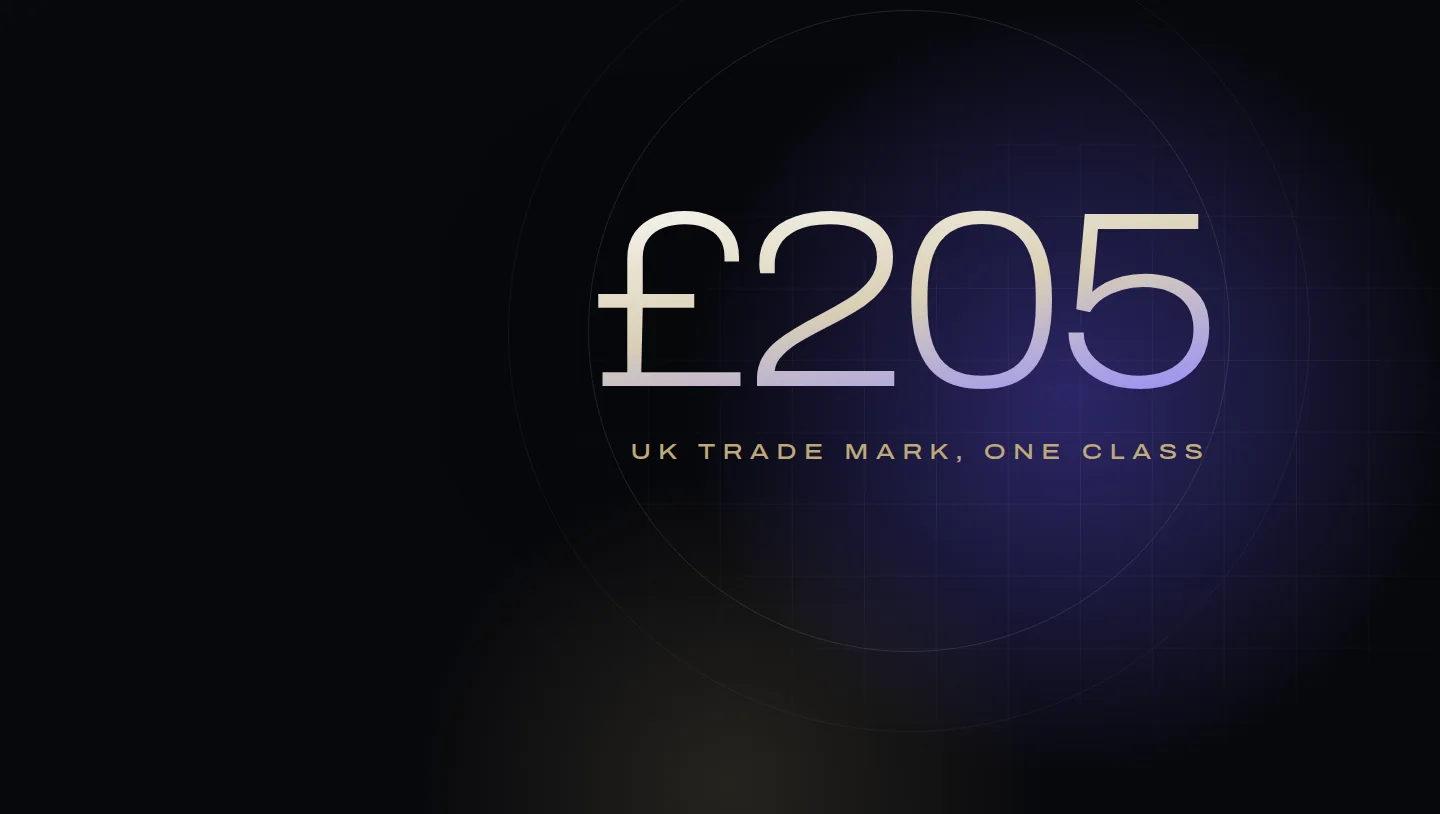
- Brand Registry is free. What you pay for is the trade mark: £205 online at the UK IPO for one class, plus £60 for each extra class.
- Amazon accepts pending UK trade marks, so you can apply as soon as the IPO has your application. Full registration takes around 3 to 4 months if nobody objects.
- Your brand name or logo must appear on the product or its packaging, the trade mark text must match the brand name exactly, and the trade mark owner must enrol.
- Registry gives a UK brand A+ content, Brand Story, Stores, Sponsored Brands, Brand Analytics, Manage Your Experiments and Vine, plus Report a Violation, Transparency and Project Zero for protection.
- Amazon removes counterfeits and infringements. It does not enforce your distribution agreements or your prices.
By the numbers
- £205
- UK IPO fee to apply online for one class, plus £60 for each additional class
- 3–4 months
- Usual time from UK application to registration if there are no issues, according to GOV.UK
- £0
- Cost of enrolling a brand in Amazon Brand Registry
- £140
- Amazon UK's Vine enrolment fee for 11 to 30 units of a product
From Robert Prime and the Mr. Prime team, who enrol and manage brands in Amazon Brand Registry for founder-led UK manufacturers and brands.
Brand Registry is the step that turns a UK brand on Amazon from one seller among many into the recognised owner of its listings. It is free, it opens most of Amazon’s brand tools, and it is the foundation for removing counterfeits. The only real cost is the trade mark behind it, and the only real wait is for the paperwork.
Most of the confusion comes from two clocks that run at different speeds: the UK Intellectual Property Office’s clock for registering your trade mark, and Amazon’s clock for enrolling your brand. This guide covers both, with current fees, a realistic timeline and what you get at the end.
What Brand Registry is and who can join
Amazon describes Brand Registry as “a free programme that helps you protect your intellectual property (IP), manage your listings and grow your business”, whether or not you sell in the Amazon store1. If you already have a Seller Central or Vendor Central account, you use the same login to create your Brand Registry account1, so it works for sellers and vendors alike. If you are weighing the two routes, our Vendor Central vs Seller Central guide compares them.
Brand registration on Amazon is not the same as trade mark registration: the trade mark comes from a government office, and Brand Registry is Amazon’s own enrolment that builds on it. To enrol, Amazon requires that1:
- your brand name, or a logo that includes it, is permanently affixed to your products or packaging, and you can provide images showing it;
- you have an active registered trade mark or a pending application for that name or logo, issued by the government trade mark office of a country with an Amazon store;
- you are the trade mark owner. An agency or other authorised agent cannot enrol on your behalf; the owner enrols and then adds them as a user;
- the mark is a word mark or an image mark containing words, letters or numbers, and its text matches the brand name on your application exactly;
- you have the registration or application number and a list of the product categories your brand sells in.
Which trade marks count
For a UK brand, three routes matter.
| Office | Covers | Accepted for Brand Registry |
|---|---|---|
| UK IPO (Intellectual Property Office) | The UK and the Isle of Man | Registered marks, and pending applications at these statuses: application received, examination, pre-publication, application published and opposed2 |
| EUIPO (EU Intellectual Property Office) | All EU member states | Registered marks and pending applications2 |
| WIPO (international registrations under the Madrid system) | The countries you designate | Accepted, but Amazon asks for the trade mark number assigned by the national office, which may differ from the WIPO number2 |
Amazon’s Brand Registry guide lists the UK, the EU and the other countries with Amazon stores, and says that in all of them “an application can be submitted with a pending trademark"2. Amazon’s UK page is a little more cautious, saying that “in some cases” you may enrol with a pending registration1, so check the status of your application before you apply.
Trade marks are territorial. GOV.UK notes that a UK registration “only protects your brand in the UK and the Isle of Man"3. You choose a single office when you enrol and can add trade marks from other countries’ offices once approved1. If you sell in the UK and the EU, plan for a mark in each.
What a UK trade mark costs now
The UK IPO’s current fees are4:
| Application type | First class | Each additional class |
|---|---|---|
| Standard, online | £205 | £60 |
| Right Start, online: first payment to check the application meets the rules | £125 | £30 |
| Right Start: second payment to continue | £125 | £30 |
| Paper application | £250 | £60 |
A series application covering up to six versions of a mark, such as a logo in different colours, includes the first two versions in the fee, then costs £60 for each further version4. If a guide quotes £170 for an online application, it is out of date: the current fee is £2054.
A realistic timeline
Here is how the two clocks run for a UK brand filing its own application online. The IPO timings are from GOV.UK. Amazon does not publish a review time, so that row is our experience and should be read as a guide, not a promise.
| Stage | When | Source |
|---|---|---|
| File the UK application online | Day 0. GOV.UK says your application is published “as soon as you have applied"4 | GOV.UK |
| Apply to Brand Registry with the application number | Day 1 to 3, once you have product and packaging images and your category list ready | Amazon’s requirements1 |
| Amazon reviews the enrolment | Usually a few days to two weeks in our experience; longer if Amazon can’t reach the contact on the trade mark record | Our experience |
| IPO examination report | Within 2 to 3 weeks of applying5 | GOV.UK |
| Resolve any objections | Up to 2 months5 | GOV.UK |
| Publication in the trade marks journal, open to opposition | 2 months5 | GOV.UK |
| Trade mark granted | Usually around 3 to 4 months from application if there are no issues3 | GOV.UK |
| If someone opposes | You cannot register in the opposed classes until it is resolved5 | GOV.UK |
So a typical UK brand can be in Brand Registry within one to three weeks of filing, while its trade mark is still on the way to registration. The delays we see most often are avoidable: a brand name on the application that doesn’t exactly match the mark, product images that don’t clearly show the brand, and an out-of-date email address for the contact on the trade mark record, which Amazon may use to confirm the application.
The risk of enrolling on a pending mark
A pending application is not a registration. If it is refused, withdrawn or lost in an opposition, the trade mark your enrolment rests on no longer exists. Some tools also need more than a pending mark: Project Zero is available only for stores where your brand has an active, registered trade mark13. Check the name against the register before you file, choose your classes carefully, and keep an eye on the application until it is granted.
Amazon IP Accelerator in the UK
IP Accelerator connects brands with law firms vetted by Amazon. It is available to UK brands: Amazon lists the United Kingdom among the countries where its providers can file7. Amazon “doesn’t charge a fee to connect you with service providers”; you work with and pay the provider directly7.
Amazon publishes maximum service fees for one brand in one class7:
| Service through IP Accelerator | Maximum service fee |
|---|---|
| Filing a UK IPO application | £240 (€265) |
| Filing both EUIPO and UK IPO applications | £500 (€600) |
| Filing an EU trade mark application | €540 |
| High-level “knockout” search of EUIPO records | €300 |
| Combined knockout search of EU and UK IPO records | €1,200 |
Amazon’s UK page does not say whether those fees include the IPO’s own £205, so ask the provider before you instruct them. As with a direct filing, “once your application is pending, you can enrol in Brand Registry"7.
Is it worth it? In our view, IP Accelerator’s value in the UK is the legal advice, not speed: a direct online filing gives you a pending application just as quickly. If you are confident in your name and your classes, file directly. If the name might clash with an existing mark, or you are filing in the UK and EU together, a search and a lawyer are money well spent, whether through IP Accelerator or not.
What Brand Registry gives a UK brand
Once enrolled, these are the tools available in the UK store and what each needs.
| Tool | What it does | Requirement or cost in the UK |
|---|---|---|
| A+ content | Rich images, text and comparison charts below the listing | For brand owners and authorised resellers; Amazon’s guide says there are no additional eligibility criteria for Premium A+8 |
| Brand Story | A carousel of up to 19 cards in the “From the brand” section | Used alongside Basic or Premium A+; not available for books, music, video or DVD8 |
| Stores | Your own brand storefront at amazon.co.uk/stores | Free for brands enrolled in Brand Registry1 |
| Sponsored Brands | Ads with your logo and products at the top of search results | Sellers must be the registered brand owner through Brand Registry, with a Professional account9 |
| Brand Analytics and Search Query Performance | Query volume, impressions, clicks, basket adds and purchases for each search query | Sellers with a brand representative role in Brand Registry10 |
| Manage Your Experiments | A/B tests of images, titles, bullets, descriptions, A+ and Brand Story | You must own the brand, and the product needs enough recent traffic11 |
| Vine | Makes up to 30 units available for Vine reviewers to order and review | A Brand Registry role, Fulfilment by Amazon stock and fewer than 30 published reviews6; £0 for 1 to 2 units, £60 for 3 to 10, £140 for 11 to 3012 |
| Report a Violation | Search for and report suspected infringements | Included with Brand Registry1 |
| Transparency | A unique serialised code on each unit, so only authenticated units can be listed or shipped | Offered to brands on Amazon UK1; see our guide to Amazon Transparency and Project Zero |
| Project Zero | Automated scanning plus self-service removal of counterfeit listings | Available in the UK and free, but needs an active registered trade mark for that store and an accuracy rate of at least 99% to keep access13 |
Amazon also says registry gives you “greater control over your product listing content"1, which matters most on listings that other sellers also offer. Registry does not decide who wins the sale on those listings; our guide to the Amazon Buy Box explains how the Featured Offer is chosen.
Amazon quotes sales uplifts for several of these tools. For A+ it says Basic A+ “can increase sales by up to 8%” and Premium “up to 20%“1. These are ceilings without a published method, so treat them as a reason to test, not a forecast. Our A+ content blueprint covers what to build and how to measure it.
How to report infringement
There are two routes, depending on whether you are enrolled.
- In Brand Registry: Report a Violation. Amazon describes it as the tool for detecting and reporting potential intellectual property infringements14, and says each report also helps strengthen its automated protections1. Report only what you can evidence: Project Zero access depends on the accuracy of your reports13.
- Not enrolled: the Report Infringement form. Amazon’s form at amazon.co.uk/report/infringement is for intellectual property rights owners and their agents. Amazon will not process reports from anyone else14.
Know what Amazon will not do. It does not treat breaches of exclusive or selective distribution agreements as intellectual property infringement and says it would not be appropriate for it to enforce them14. A reseller selling your genuine product below your recommended price is a matter for your trade terms, not a report. And a product page, once created, stays in the catalogue, and other sellers may offer an identical item on it14. That is why the protections that work best at scale combine tight distribution with registry tools, as we set out in our operating model for complex Amazon accounts.
Your first 30 days in Brand Registry
What we do for a newly enrolled brand, in this order:
- Add every brand user and check the brand name on every listing matches the registered name exactly.
- Build A+ and a Brand Story for the products that earn the most, starting with the ones that need the most explaining.
- Start Sponsored Brands with a campaign on your own brand name, so a competitor doesn’t take the top of your own search results.
- Enrol eligible new products in Vine, choosing the number of units deliberately, since the fee steps up at 3 and 11 units12.
- Open Search Query Performance and record a baseline for your main products before you change anything10.
- Set a monthly protection check: new sellers on your listings, suspected counterfeits and any changes to your listing content.
Stores and Manage Your Experiments can follow in the second month. A Store takes time to build well, and an experiment needs a listing with enough traffic to give a clear answer.
Frequently asked questions
Can I join Amazon Brand Registry with a pending trademark?
How long does Amazon Brand Registry take in the UK?
Do I need a trade mark for Amazon Brand Registry?
How much does Amazon Brand Registry cost?
Does a UK trade mark protect my brand on Amazon in Europe?
Is Amazon IP Accelerator available in the UK?
Will Brand Registry stop other sellers undercutting my price?
Sources
- Amazon Brand Registry: requirements, tools and FAQs. Sell on Amazon UK (Amazon). Checked 1 October 2026.
- Getting Started with Amazon Brand Registry (accepted trade mark offices and statuses). Amazon Seller University. Checked 1 October 2026.
- Register a trade mark: overview. GOV.UK. Checked 1 October 2026.
- Register a trade mark: apply to register a trade mark (fees). GOV.UK. Checked 1 October 2026.
- Register a trade mark: after you apply. GOV.UK. Checked 1 October 2026.
- Vine frequently asked questions (product eligibility). Amazon Seller Central UK. Checked 1 October 2026.
- Amazon IP Accelerator UK. Sell on Amazon UK (Amazon). Checked 1 October 2026.
- A+ Content guide. Amazon Seller Central UK. Checked 1 October 2026.
- Sponsored Brands eligibility requirements. Amazon Ads help. Checked 1 October 2026.
- Search Query Performance dashboard (Brand Analytics). Amazon Seller Central UK. Checked 1 October 2026.
- Manage Your Experiments. Amazon Seller Central UK. Checked 1 October 2026.
- Vine enrolment fee for sellers. Amazon Seller Central UK. Checked 1 October 2026.
- Project Zero. Sell on Amazon (Amazon). Checked 1 October 2026.
- Report Infringement: about Amazon's Report Infringement form. Amazon.co.uk. Checked 1 October 2026.
How this guide was made
Written by Robert Prime and reviewed by Atouka Tsochataridis, who set up and run Brand Registry for founder-led brands at Mr. Prime. We used AI tools to help research and draft it; Robert edited it and takes responsibility for it. Every fee, rule and timing was checked against the Amazon or GOV.UK source listed above on 1 October 2026. Amazon does not publish a turnaround time for Brand Registry approval, so that row of the timeline is our experience, and is labelled as such. This guide is not legal advice.
Every figure above links to the primary source it came from, and we recheck them when Amazon changes its fees or definitions. Read our editorial standards. Spotted something wrong? Tell us through our contact page and we will correct it and note the change here.
About the author
Robert Prime
Robert has spent more than two decades building, growing and selling online businesses, including an Amazon brand he built and sold for seven figures.
His other exits include Telematics.com, sold to LexisNexis, and Remortgage.com. He co-owned UpDownDesk.com.au, growing it on Shopify alone from £12k to £350k a month before he exited, one of more than six Shopify businesses he has built and sold.
He sets and reviews the strategy for every Mr. Prime client, with the view of an operator who has sat on your side of the table.
Reviewed by
Atouka Tsochataridis
A former officer who overdelivers every time. Runs growth across the client book and is on WhatsApp with clients at all hours.
Your numbers, not ours
See your own break-even, TACoS and profit after ads.
The Profit X-Ray works it out from four monthly figures, or from your Business Report, in your browser.